

Certificate in Debugging Tool Essentials
Master essential debugging tools and techniques for efficient software troubleshooting and resolution.
Certificate in Debugging Tool Essentials
Programme Overview
This course is designed for software developers, quality assurance professionals, and engineers looking to enhance their debugging skills. It provides essential knowledge and hands-on experience with a variety of debugging tools, enabling participants to diagnose and resolve complex software issues efficiently.
Participants will gain proficiency in using advanced debugging tools, understanding error messages, and implementing effective debugging strategies. The course also covers best practices for maintaining and optimizing code quality through proactive debugging techniques.
What You'll Learn
Dive into the world of efficient debugging with our Certificate in Debugging Tool Essentials! This intensive, hands-on course equips you with the skills to identify, diagnose, and resolve complex software issues using the latest debugging tools. You'll learn to leverage powerful IDEs, debuggers, and code analyzers to optimize performance and maintain code quality. Ideal for software developers, QA engineers, and tech enthusiasts, this course opens doors to high-demand positions in tech support, quality assurance, and software engineering. With real-world case studies and practical exercises, you'll not only gain essential skills but also deepen your technical expertise. Join us to become a debugging expert and stand out in today’s competitive tech landscape!
Programme Highlights
Industry-Aligned Curriculum
Developed with industry leaders to ensure practical, job-ready skills valued by employers worldwide.
Globally Recognised Certificate
Recognised by employers across 180+ countries as a mark of professional excellence.
Flexible Online Learning
Study at your own pace with lifetime access to all course materials and updates.
Instant Access
Start learning immediately — no application process or waiting period required.
Constantly Updated Content
Stay ahead with the latest industry trends, best practices, and emerging insights.
Career Advancement
87% of graduates report measurable career progression within 6 months of completion.
Topics Covered
- 1. Introduction to Debugging Tools: Learners will be introduced to the fundamental concepts of debugging tools, their importance in software development, and how to choose the right tool for different scenarios. Practical skills include identifying the types of debugging tools available and understanding their basic features.
- 2. Debugging Fundamentals: This module covers core debugging principles, including debugging techniques, common debugging challenges, and best practices for effective debugging. Learners will gain skills in setting breakpoints, stepping through code, and analyzing program states.
- 3. Debugging with Integrated Development Environments (IDEs): Focusing on popular IDEs, this module teaches learners how to use these environments effectively for debugging. Skills include configuring IDE settings, using advanced debugging features, and integrating IDEs with external tools.
- 4. Debugging Web Applications: Learners will explore techniques for debugging web applications, including front-end and back-end issues. Practical skills include using browser developer tools, understanding server logs, and debugging REST APIs.
- 5. Performance Debugging: This module covers methods for identifying and resolving performance issues in applications. Learners will study profiling tools, memory management, and optimizing code for better performance.
- 6. Debugging Mobile Applications: Specifically tailored for mobile app developers, this module covers the unique challenges and tools for debugging mobile applications. Skills include using mobile-specific debugging tools, understanding mobile device behavior, and testing applications on various devices and emulators.
- 7. Debugging in Cloud Environments: Focusing on cloud-based applications, this module teaches learners how to debug in cloud environments, including using cloud-specific debugging tools and understanding cloud-based deployment challenges.
- 8. Debugging Real-Time Systems: This advanced module focuses on debugging real-time systems, including embedded systems and real-time operating systems. Skills include understanding real-time constraints, using specialized debugging tools, and debugging concurrent and parallel applications.
- 9. Debugging Large-Scale Systems: Covering large-scale distributed systems, this module teaches learners how to debug complex, distributed applications. Skills include understanding distributed system architecture, using distributed tracing tools, and debugging multi-threaded applications.
- 10. Debugging Best Practices and Case Studies: In this final module, learners will apply the skills learned throughout the course to real-world scenarios. They will work on case studies, learn from expert insights, and refine their debugging strategies to ensure they can effectively debug a wide range of applications.
What You Get When You Enroll
Secure checkout • Instant access • Certificate included
Key Facts
Audience: Software developers, testers
Prerequisites: Basic programming knowledge
Outcomes: Master debugging tools, identify code errors
Ready to get started?
Join thousands of professionals who already took the next step. Enroll now and get instant access.
Enroll Now — $79Why This Course
Gain specialized skills in using debugging tools, enhancing problem-solving abilities and code quality.
Prepare for a variety of roles in software development and maintenance, making you more competitive in the job market.
Learn best practices for identifying and resolving issues efficiently, improving project delivery timelines.
Your Path to Certification
Trusted by Professionals Worldwide
Course Brochure
Download our comprehensive course brochure with all details
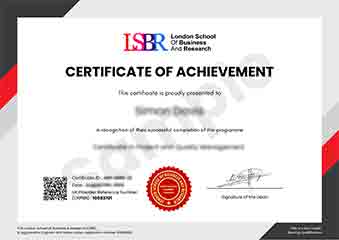
Sample Certificate
Preview the certificate you'll receive upon successful completion of this program.
Get Free Course Info
Enter your details and we'll send you a comprehensive course information pack straight to your inbox.
Employer Sponsored Training
Let your employer invest in your professional development. Request a corporate invoice and get your training funded.
Request Corporate InvoiceWhat People Say About Us
Hear from our students about their experience with the Certificate in Debugging Tool Essentials at FlexiCourses.
Charlotte Williams
United Kingdom"The course provided comprehensive material that significantly enhanced my ability to troubleshoot complex software issues, equipping me with practical tools and techniques that have already improved my work efficiency. Gaining a deeper understanding of debugging essentials has been incredibly beneficial for my career in software development."
Oliver Davies
United Kingdom"This certificate course has been incredibly practical, equipping me with essential tools and techniques that are directly applicable in my software development role. It has not only enhanced my debugging skills but also opened up new opportunities for career advancement in my field."
Muhammad Hassan
Malaysia"The course structure is well-organized, providing a clear path from basic debugging concepts to advanced tools and techniques, which has significantly enhanced my ability to troubleshoot complex issues in real-world scenarios."