

Executive Development Programme in Automating Tasks with PowerShell Scripting
This programme equips executives with PowerShell scripting skills to automate tasks, enhancing efficiency and decision-making in their roles.
Executive Development Programme in Automating Tasks with PowerShell Scripting
Programme Overview
This course is designed for IT professionals, managers, and business leaders seeking to enhance their automation skills using PowerShell scripting. Participants will learn to streamline operational tasks, reduce manual workload, and improve efficiency in managing IT infrastructure.
By the end of the program, attendees will gain proficiency in scripting with PowerShell, understand automation best practices, and be able to implement custom scripts to automate repetitive and complex tasks.
What You'll Learn
Dive into the world of automation with our Executive Development Programme in Automating Tasks with PowerShell Scripting. This comprehensive course is designed to elevate your technical skills and streamline your workflow, ensuring you can efficiently manage and automate tasks with PowerShell. You'll learn from industry experts, gaining hands-on experience that can be directly applied to real-world scenarios. By the end of the program, you'll be equipped with the knowledge to script complex automation tasks, enhancing your efficiency and job performance. This skill is highly valued in tech-driven organizations, opening doors to leadership roles and advanced positions. Unique features include a blend of theoretical knowledge and practical projects, ensuring you not only understand the concepts but also can implement them effectively. Join us and transform your career with the power of PowerShell!
Programme Highlights
Industry-Aligned Curriculum
Developed with industry leaders to ensure practical, job-ready skills valued by employers worldwide.
Globally Recognised Certificate
Recognised by employers across 180+ countries as a mark of professional excellence.
Flexible Online Learning
Study at your own pace with lifetime access to all course materials and updates.
Instant Access
Start learning immediately — no application process or waiting period required.
Constantly Updated Content
Stay ahead with the latest industry trends, best practices, and emerging insights.
Career Advancement
87% of graduates report measurable career progression within 6 months of completion.
Topics Covered
- 1. Introduction to PowerShell: Learners will understand the basics of PowerShell, including its history, key features, and how it can be used for automating tasks. They will gain the ability to open a PowerShell window, navigate the command-line interface, and execute simple commands.
- 2. PowerShell Variables and Data Types: This module covers how to use variables effectively in PowerShell scripts, along with an introduction to different data types. Learners will learn to assign, modify, and manipulate data within scripts to automate various tasks.
- 3. Working with PowerShell Arrays and Collections: Learners will explore arrays and collections in PowerShell, learning how to create, modify, and query these data structures. Practical skills include filtering and sorting data, appending to arrays, and using collections to simplify script logic.
- 4. Automating Task Execution with Commands and Functions: This module focuses on using built-in commands and creating custom functions to automate repetitive tasks. Learners will learn to write efficient scripts that can perform a wide range of administrative tasks.
- 5. PowerShell Scripting Techniques and Best Practices: This module introduces advanced scripting techniques and best practices for writing clean, maintainable, and efficient PowerShell scripts. Topics include error handling, logging, and optimizing performance.
- 6. PowerShell Remoting and Network Automation: Learners will learn how to use PowerShell Remoting to manage remote systems and automate tasks across a network. Skills include setting up remote sessions, executing commands on remote machines, and managing remote PowerShell environments.
- 7. PowerShell and Active Directory Integration: This module covers integrating PowerShell with Active Directory to automate common administrative tasks. Learners will learn to execute commands and scripts against AD objects, manage user accounts, and automate group management.
- 8. PowerShell and Windows Management Instrumentation (WMI): Learners will explore how to use PowerShell with WMI to gather system information and automate administrative tasks. Skills include querying WMI queries, managing system settings, and automating hardware management.
- 9. PowerShell and Desired State Configuration (DSC): This module introduces DSC and how to use it for configuring and managing Windows systems. Learners will learn to write DSC scripts, apply configurations, and manage the state of systems to ensure consistency and compliance.
- 10. Advanced PowerShell Scripting and Automation: In this final module, learners will work on a comprehensive project to automate a complex administrative task using advanced PowerShell techniques. They will apply all the skills learned throughout the programme to create a robust, scalable, and maintainable automation solution.
What You Get When You Enroll
Secure checkout • Instant access • Certificate included
Key Facts
Audience: IT professionals, system administrators
Prerequisites: Basic IT knowledge, PowerShell basics
Outcomes: Automate tasks efficiently, enhance scripting skills
Ready to get started?
Join thousands of professionals who already took the next step. Enroll now and get instant access.
Enroll Now — $199Why This Course
Enhance efficiency by automating repetitive tasks, freeing up time for more strategic work.
Gain practical skills in PowerShell scripting, a versatile tool for system administration and automation.
Develop problem-solving abilities through hands-on experience in script writing and task automation.
Your Path to Certification
Trusted by Professionals Worldwide
Course Brochure
Download our comprehensive course brochure with all details
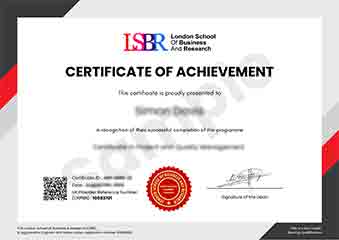
Sample Certificate
Preview the certificate you'll receive upon successful completion of this program.
Get Free Course Info
Enter your details and we'll send you a comprehensive course information pack straight to your inbox.
Employer Sponsored Training
Let your employer invest in your professional development. Request a corporate invoice and get your training funded.
Request Corporate InvoiceWhat People Say About Us
Hear from our students about their experience with the Executive Development Programme in Automating Tasks with PowerShell Scripting at FlexiCourses.
Sophie Brown
United Kingdom"The course content was incredibly detailed and well-structured, providing a solid foundation in PowerShell scripting that has significantly enhanced my ability to automate tasks efficiently. Gaining these practical skills has not only streamlined my workflow but also opened up new career opportunities in automation."
Hans Weber
Germany"The Executive Development Programme in Automating Tasks with PowerShell Scripting has significantly enhanced my ability to automate routine tasks, making my work more efficient and allowing me to focus on more strategic initiatives. This skill has been incredibly valuable in my role, leading to faster project completions and a noticeable improvement in my team's productivity."
Isabella Dubois
Canada"The course structure was well-organized, providing a clear path from basic scripting concepts to advanced automation techniques, which greatly enhanced my understanding and practical skills in PowerShell. The comprehensive content and real-world applications have significantly contributed to my professional growth in automating tasks efficiently."