

Executive Development Programme in Creating Accessible User Interfaces: A Step-by-Step Guide
This program equips executives with the skills to develop user interfaces that are inclusive and accessible, enhancing user experience and broadening market reach.
Executive Development Programme in Creating Accessible User Interfaces: A Step-by-Step Guide
Programme Overview
This course is designed for executive leaders and senior managers in tech and design who want to ensure their products and services are accessible to all users, including those with disabilities. Participants will gain the knowledge and skills to create inclusive user interfaces, enhance brand reputation, and comply with accessibility standards and regulations.
Students will learn to implement accessibility best practices, assess usability from diverse perspectives, and advocate for inclusive design principles within their organizations. The step-by-step guide equips them with practical tools and strategies to foster a culture of accessibility and innovation.
What You'll Learn
Transform your career with our Executive Development Programme in Creating Accessible User Interfaces: A Step-by-Step Guide. This cutting-edge course equips you with the skills to design user interfaces that cater to diverse needs, ensuring inclusivity and accessibility. You'll learn from industry experts through interactive workshops, real-world case studies, and hands-on projects. This program not only enhances your technical proficiency but also broadens your perspective on user experience design. Upon completion, you'll be well-prepared for advanced roles in UX design, digital product management, and accessibility consulting. Join us and become a leader in creating digital environments that empower every user.
Programme Highlights
Industry-Aligned Curriculum
Developed with industry leaders to ensure practical, job-ready skills valued by employers worldwide.
Globally Recognised Certificate
Recognised by employers across 180+ countries as a mark of professional excellence.
Flexible Online Learning
Study at your own pace with lifetime access to all course materials and updates.
Instant Access
Start learning immediately — no application process or waiting period required.
Constantly Updated Content
Stay ahead with the latest industry trends, best practices, and emerging insights.
Career Advancement
87% of graduates report measurable career progression within 6 months of completion.
Topics Covered
- 1. Introduction to Accessibility: Learners will understand the importance of accessibility in user interfaces and explore foundational concepts like the Web Content Accessibility Guidelines (WCAG). They will develop an awareness of the diverse needs of users and the impact of inaccessible design.
- 2. Legal and Ethical Considerations: This module will cover the legal frameworks and ethical principles surrounding accessibility. Learners will learn about global accessibility laws and how to ensure ethical practices in designing accessible interfaces.
- 3. User Research and Inclusive Design: Learners will conduct user research to identify needs of diverse users and apply inclusive design principles. They will gain skills in creating personas and scenarios that reflect the needs of different user groups.
- 4. Semantic HTML for Accessibility: This module focuses on using semantic HTML to improve accessibility. Learners will learn how to structure web content effectively and use ARIA (Accessible Rich Internet Applications) roles when necessary.
- 5. Responsive Design and Screen Reader Compatibility: The module covers responsive design techniques and the importance of screen reader compatibility. Learners will practice designing interfaces that are accessible to users with visual impairments.
- 6. Color and Contrast Accessibility: This module teaches learners about the importance of color contrast in user interfaces to ensure readability and usability for users with visual impairments. They will learn how to use tools to check and enhance color contrast.
- 7. Keyboard Navigation and Forms: Learners will focus on making interfaces navigable using only a keyboard and improving form accessibility. They will learn to create forms that are easy to fill out and navigate without a mouse.
- 8. Testing and Quality Assurance: This module covers the process of testing accessible interfaces and ensuring quality. Learners will learn about automated and manual testing methods and how to use tools to verify accessibility standards.
- 9. Advanced ARIA Techniques: For more advanced learners, this module delves into complex ARIA techniques and custom widgets. Learners will explore how to enhance accessibility for interactive elements that do not have inherent accessibility.
- 10. Case Studies and Real-World Applications: The final module involves analyzing real-world case studies of accessible interfaces. Learners will apply their knowledge to real-world scenarios, evaluating and improving existing designs.
What You Get When You Enroll
Secure checkout • Instant access • Certificate included
Key Facts
Audience: UX/UI designers, product managers
Prerequisites: Basic UI design knowledge
Outcomes: Enhanced accessibility skills, improved user experience
Ready to get started?
Join thousands of professionals who already took the next step. Enroll now and get instant access.
Enroll Now — $199Why This Course
Gain specialized skills in designing user interfaces that are accessible to everyone, enhancing user experience and compliance with accessibility standards.
Learn from experienced professionals who provide practical, step-by-step guidance, ensuring you develop a comprehensive understanding of creating accessible interfaces.
Receive personalized feedback and support, accelerating your learning process and application of accessibility principles in real-world projects.
Your Path to Certification
Trusted by Professionals Worldwide
Course Brochure
Download our comprehensive course brochure with all details
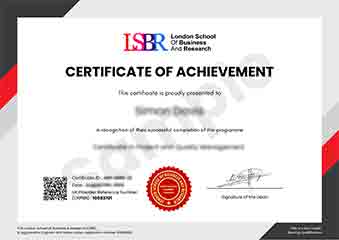
Sample Certificate
Preview the certificate you'll receive upon successful completion of this program.
Get Free Course Info
Enter your details and we'll send you a comprehensive course information pack straight to your inbox.
Employer Sponsored Training
Let your employer invest in your professional development. Request a corporate invoice and get your training funded.
Request Corporate InvoiceWhat People Say About Us
Hear from our students about their experience with the Executive Development Programme in Creating Accessible User Interfaces: A Step-by-Step Guide at FlexiCourses.
Oliver Davies
United Kingdom"The course content is incredibly detailed and well-structured, providing a solid foundation in creating accessible user interfaces. I've gained practical skills that have already improved the accessibility of my projects, making a real difference in user experience."
Rahul Singh
India"This course has been incredibly valuable in enhancing my ability to design user interfaces that are accessible to everyone, which is not only a huge asset in the tech industry but has also opened up new career opportunities in UX design. The step-by-step guide provided practical insights that I immediately applied to improve user experience in my projects."
Anna Schmidt
Germany"The course structure is well-organized, providing a clear step-by-step guide that enhances understanding of creating accessible user interfaces. The comprehensive content offers valuable insights into real-world applications, significantly boosting my professional growth in this area."