

Executive Development Programme in Interactive Prototyping with After Effects
Enhance leadership skills and master interactive prototyping in After Effects for innovative visual solutions.
Executive Development Programme in Interactive Prototyping with After Effects
Programme Overview
This course is designed for professionals seeking to enhance their skills in interactive prototyping using Adobe After Effects. Ideal for designers, developers, and creative professionals, it equips participants with the knowledge to create engaging, interactive experiences from concept to final product.
Participants will gain proficiency in advanced After Effects techniques for interactive design, including scripting, motion graphics, and user interface (UI) animation. By the end, they will be able to build interactive prototypes that bridge the gap between design and development, making them valuable assets in their respective fields.
What You'll Learn
Dive into the future of visual storytelling with our Executive Development Programme in Interactive Prototyping with After Effects. This intensive course equips you with the skills to create dynamic, interactive prototypes that captivate audiences and drive business success. You'll learn advanced techniques in After Effects, including motion graphics, D compositions, and user interface (UI) design. Our program is designed for professionals seeking to enhance their creative toolkit and transition into roles like UI/UX designers, motion designers, or interactive media producers.
Join a community of like-minded professionals and gain hands-on experience through real-world projects. You'll emerge with a portfolio that showcases your innovative prototypes and prepares you for careers in tech, advertising, film, and more. Whether you're looking to pivot your career or advance your current role, this program is your gateway to becoming an expert in interactive prototyping.
Programme Highlights
Industry-Aligned Curriculum
Developed with industry leaders to ensure practical, job-ready skills valued by employers worldwide.
Globally Recognised Certificate
Recognised by employers across 180+ countries as a mark of professional excellence.
Flexible Online Learning
Study at your own pace with lifetime access to all course materials and updates.
Instant Access
Start learning immediately — no application process or waiting period required.
Constantly Updated Content
Stay ahead with the latest industry trends, best practices, and emerging insights.
Career Advancement
87% of graduates report measurable career progression within 6 months of completion.
Topics Covered
- 1. Introduction to After Effects: Learners will be introduced to the core features and interface of After Effects, understanding its role in interactive prototyping. They will gain practical skills in setting up projects, managing layers, and working with compositions.
- 2. Essential Animation Techniques: This module covers basic animation principles, including keyframing, easing, and timeline management. Learners will apply these techniques to create dynamic and engaging animations, enhancing their ability to prototype interactive elements effectively.
- 3. Advanced Layer and Effect Manipulation: Learners will delve into advanced layer manipulation and effect application. Topics include blending modes, expressions, and motion tracking. Practical skills include creating complex visual effects and interactive transitions.
- 4. Interactive Prototyping Fundamentals: This module introduces the fundamentals of interactive prototyping, focusing on user experience (UX) principles and interactive design. Learners will create basic interactive prototypes using After Effects, understanding how to make designs responsive and user-friendly.
- 5. Advanced Interactive Prototyping: Building on foundational skills, learners will explore advanced interactive design techniques, including interactive elements, user feedback, and state management. Practical skills include creating interactive mockups that simulate real-world user interactions.
- 6. Motion Graphics for Prototyping: This module covers the creation of motion graphics that enhance interactive prototypes. Topics include text animation, particle systems, and 3D compositions. Learners will develop skills in designing visually appealing and engaging motion graphics.
- 7. Integrating Audio and Sound in Prototypes: Learners will learn how to integrate audio and sound effects into their prototypes, enhancing the overall user experience. Practical skills include adding sound to animations, creating audio triggers, and managing sound layers.
- 8. Advanced Rendering and Output: This module focuses on advanced rendering techniques and output options for interactive prototypes. Topics include 360-degree rendering, exporting for web and mobile, and optimizing project files. Practical skills include setting up render queues, adjusting settings for different outputs, and preparing projects for distribution.
- 9. Collaboration and Sharing Prototypes: Learners will learn best practices for collaborating on and sharing interactive prototypes. Topics include version control, file sharing, and online collaboration tools. Practical skills include working with team members, sharing projects securely, and documenting changes.
- 10. Real-World Case Studies and Portfolio Development: The final module involves analyzing real-world case studies of interactive prototypes and applying learned skills to create a professional portfolio project. Learners will refine their prototypes, prepare for presentations, and develop strategies for showcasing their work effectively.
What You Get When You Enroll
Secure checkout • Instant access • Certificate included
Key Facts
Audience: Designers, developers, creative professionals
Prerequisites: Basic After Effects knowledge
Outcomes: Master interactive prototyping techniques, enhance project presentations
Ready to get started?
Join thousands of professionals who already took the next step. Enroll now and get instant access.
Enroll Now — $199Why This Course
Enhance practical skills: Gain hands-on experience in creating interactive prototypes, a critical skill for designers and developers.
Boost career prospects: Stand out in the job market with advanced proficiency in After Effects, a tool valued in media and communication industries.
Foster innovation: Develop creative problem-solving abilities by learning to translate ideas into engaging, interactive visual content.
Your Path to Certification
Trusted by Professionals Worldwide
Course Brochure
Download our comprehensive course brochure with all details
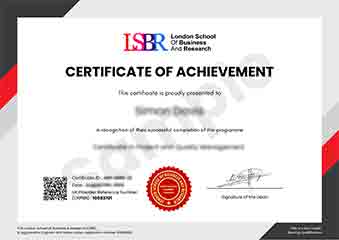
Sample Certificate
Preview the certificate you'll receive upon successful completion of this program.
Get Free Course Info
Enter your details and we'll send you a comprehensive course information pack straight to your inbox.
Employer Sponsored Training
Let your employer invest in your professional development. Request a corporate invoice and get your training funded.
Request Corporate InvoiceWhat People Say About Us
Hear from our students about their experience with the Executive Development Programme in Interactive Prototyping with After Effects at FlexiCourses.
Oliver Davies
United Kingdom"The course content is incredibly rich and well-structured, providing a solid foundation in interactive prototyping with After Effects. I gained practical skills that have already enhanced my ability to create dynamic visual presentations, which I'm excited to apply in my career."
Liam O'Connor
Australia"This course has been incredibly valuable in bridging the gap between theoretical concepts and practical applications in interactive prototyping. It has not only enhanced my technical skills but also provided me with a competitive edge in the job market, opening up new opportunities for career advancement."
Jia Li Lim
Singapore"The course structure was meticulously organized, providing a seamless transition from basic concepts to advanced techniques in interactive prototyping with After Effects, which significantly enhanced my understanding and practical skills. The comprehensive content and real-world applications have been instrumental in my professional growth, equipping me with the tools to create dynamic visual experiences."