

Professional Certificate in Adobe Camera Raw: Batch Processing for Efficiency
Master batch processing in Adobe Camera Raw for efficiency and consistency in photo editing.
Professional Certificate in Adobe Camera Raw: Batch Processing for Efficiency
Programme Overview
This course is designed for photographers and professionals who need to process large volumes of images efficiently using Adobe Camera Raw. Participants will learn how to automate the editing process through batch processing, saving time and ensuring consistency across their workflow.
Students will gain skills in setting up and managing batch processing tasks, streamline their post-processing pipeline, and apply consistent edits to multiple images with minimal effort.
What You'll Learn
Dive into the world of professional photography and image editing with our 'Professional Certificate in Adobe Camera Raw: Batch Processing for Efficiency.' This hands-on course equips you with the skills to streamline your workflow, enhancing your productivity and image quality. You'll learn advanced techniques for batch processing, color correction, and raw file editing, all while mastering the powerful tools of Adobe Camera Raw. Perfect for aspiring professionals, this certificate opens doors to lucrative roles in photo editing, graphic design, and digital media. Join us and transform your images, and your career, today!
Programme Highlights
Industry-Aligned Curriculum
Developed with industry leaders to ensure practical, job-ready skills valued by employers worldwide.
Globally Recognised Certificate
Recognised by employers across 180+ countries as a mark of professional excellence.
Flexible Online Learning
Study at your own pace with lifetime access to all course materials and updates.
Instant Access
Start learning immediately — no application process or waiting period required.
Constantly Updated Content
Stay ahead with the latest industry trends, best practices, and emerging insights.
Career Advancement
87% of graduates report measurable career progression within 6 months of completion.
Topics Covered
- 1. Introduction to Adobe Camera Raw: Learners will understand the basics of Adobe Camera Raw, its interface, and how to navigate it. They will gain foundational skills including importing, organizing, and opening raw images.
- 2. Basic Adjustments and Tool Usage: This module covers essential adjustments such as exposure, contrast, highlights, and shadows. Learners will master basic tools and techniques for immediate image improvements.
- 3. Advanced Adjustment Techniques: Learners will explore advanced adjustment methods, including curve adjustments, split toning, and gradient filters. They will learn to fine-tune images for professional results.
- 4. Batch Processing Fundamentals: Learners will understand the concept of batch processing and learn how to set up and manage batch settings for efficient workflow.
- 5. Automating Adjustments with Presets: This module teaches the creation and management of presets, enabling learners to automate routine adjustments and apply them across multiple images.
- 6. Scripting for Advanced Batch Processing: Learners will introduce themselves to scripting in Adobe Camera Raw, allowing them to automate complex tasks and workflows through custom scripts.
- 7. Managing and Organizing Large Image Libraries: This module focuses on strategies for managing large image collections, including organizing images, creating custom catalogs, and implementing efficient file naming conventions.
- 8. Optimizing Workflow for Speed and Efficiency: Learners will learn techniques to optimize their workflow, including customizing user interface settings, utilizing keyboard shortcuts, and streamlining their processing pipeline.
- 9. Advanced Batch Processing Scenarios: This module covers advanced batch processing scenarios, including handling different image formats, managing metadata, and creating custom batch processing sequences.
- 10. Final Project: Comprehensive Batch Processing Workflow: Learners will apply all learned concepts to create a comprehensive batch processing workflow, processing a large set of images from raw to final output.
What You Get When You Enroll
Secure checkout • Instant access • Certificate included
Key Facts
For professionals seeking to enhance workflow efficiency
No prior Adobe Camera Raw experience needed
Learn batch processing techniques
Automate adjustments for speed and consistency
Master advanced RAW image processing
Ready to get started?
Join thousands of professionals who already took the next step. Enroll now and get instant access.
Enroll Now — $149Why This Course
Gain proficiency in Adobe Camera Raw batch processing, enhancing workflow efficiency.
Automate repetitive tasks, saving time and increasing productivity.
Master advanced techniques for consistent image quality across multiple photos.
Your Path to Certification
Trusted by Professionals Worldwide
Course Brochure
Download our comprehensive course brochure with all details
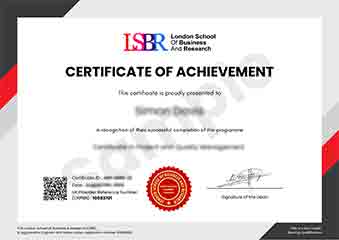
Sample Certificate
Preview the certificate you'll receive upon successful completion of this program.
Get Free Course Info
Enter your details and we'll send you a comprehensive course information pack straight to your inbox.
Employer Sponsored Training
Let your employer invest in your professional development. Request a corporate invoice and get your training funded.
Request Corporate InvoiceWhat People Say About Us
Hear from our students about their experience with the Professional Certificate in Adobe Camera Raw: Batch Processing for Efficiency at FlexiCourses.
Sophie Brown
United Kingdom"The course provided comprehensive and well-structured content that significantly enhanced my ability to process photos efficiently, which has been incredibly beneficial for my freelance photography business. I now feel more confident in handling large batches of images with ease."
Hans Weber
Germany"This course has significantly enhanced my ability to process large volumes of photos efficiently, making me more competitive in the photography industry. Mastering batch processing in Adobe Camera Raw has streamlined my workflow, allowing me to deliver projects faster and with higher quality, which has opened up new opportunities for freelance work."
Liam O'Connor
Australia"The course is meticulously organized, offering a seamless transition from basic to advanced techniques in batch processing, which has significantly enhanced my workflow efficiency. The comprehensive content not only covers essential skills but also provides ample real-world examples that have greatly contributed to my professional growth."